

Thermal grease is an excellent thermal interface material that prevents the CPU from being damaged due to poor heat dissipation.
Thermal grease is an excellent thermal interface material. Due to its thermal conductivity, thermal grease is commonly used to fill the gap between the CPU and the heat sink, which is why it is also known as a “thermal interface material.” As a high-performance thermal interface material, thermal grease primarily serves to conduct heat generated by the CPU to the heat sink, maintaining the CPU temperature at a level that allows for stable operation. This prevents the CPU from being damaged due to poor heat dissipation and extends its service life.
Vnovo thermal grease is designed to conduct heat generated by the CPU to the heat sink, maintaining the CPU temperature at a level that ensures stable operation, preventing damage caused by inadequate cooling, and extending its service life. Since the heat generated by charging station chips is often very high, thermal grease is generally used in charging stations for chip cooling. Thermal grease not only offers high thermal conductivity but also features excellent electrical insulation (applicable only to insulating thermal grease), a wide operating temperature range, good stability, low viscosity, and excellent application properties.
Applying Thermal Grease
Step 1—Removing Contaminants from the Surface
Before applying thermal grease, you must first ensure the surface is clean. Check for any contaminants, dust, or rust spots on the surface to prevent them from affecting the subsequent steps. Additionally, if the surface has rust spots or other contaminants, it can prevent the thermal grease from spreading evenly, thereby shortening its service life. Therefore, while removing impurities and ensuring the surface is clean may seem simple, this step is absolutely essential.
Step 2 — Apply Evenly
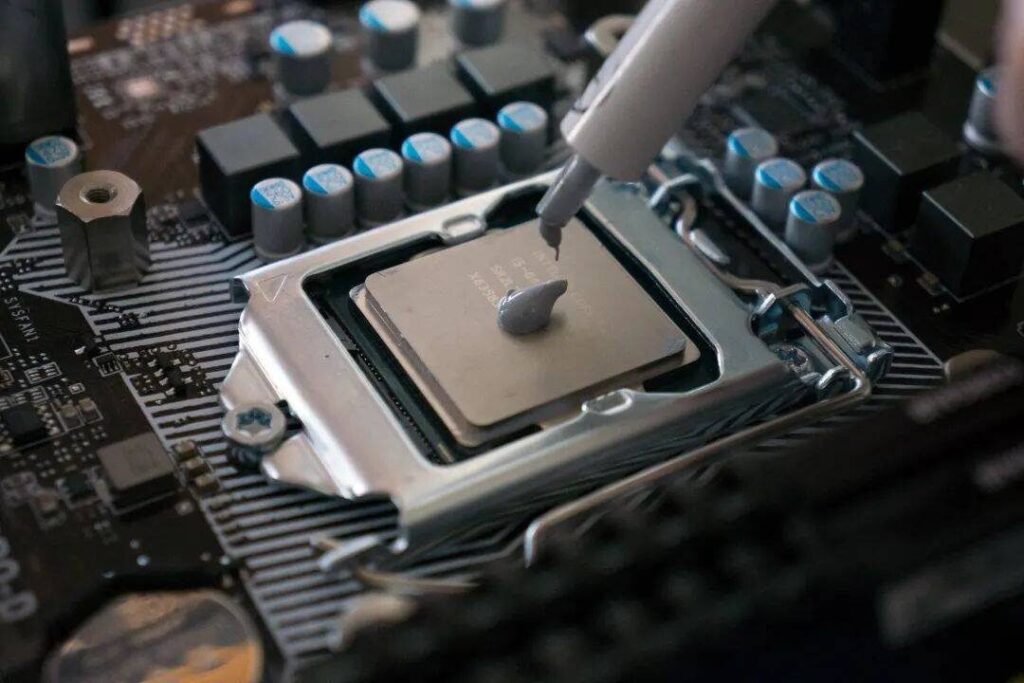
Once the surface is clean, the next step is the most critical: application. When applying thermal grease, start by placing a small amount on the surface, then use a scraper to spread it evenly. Here, methods such as “straight-line spreading” or “cross-hatch spreading” can be used to ensure the thermal grease is applied evenly and in a thin, uniform layer. After applying the thermal grease, inspect the surface for air bubbles; any areas with bubbles should be smoothed out with the scraper.
Precautions
- Dampen a lint-free cloth with acetone to clean the surface of the CPU and the base of the heatsink; strictly avoid touching these surfaces directly with your bare hands.
- Identify the specific area where the thermal paste is to be applied, and squeeze an appropriate amount onto the center of this area.
- Put on a finger cot and gently press back and forth until the thermal paste is evenly distributed across the entire application area. During this process, moving your finger in a clockwise or counter-clockwise motion can help ensure that both large and small gaps are effectively filled.
- Wipe away any excess paste and visually inspect the entire area to ensure the color is uniform. If the applied area appears distinct in color compared to the surrounding surfaces, this indicates that all gaps have been successfully filled, and the component is now ready for use.
Choosing the right thermal silicone grease and applying it correctly are essential for effective CPU heat dissipation and long-term device reliability. A high-quality thermal interface material can help improve heat transfer, reduce overheating risk, and maintain stable performance in precision electronic applications. If you are looking for a suitable thermal grease solution for CPUs, electronic components, or other heat management systems, VNOVO can provide products tailored to different materials, operating conditions, and thermal performance requirements.